
Download Good Sleep – Sleep Cycle, Alarm, Snoring
Overview
Good Sleep is a mobile health application designed to help users monitor and improve their sleep quality. Developed by SAILab, the app focuses on sleep cycle tracking, snoring detection, and smart alarm functionality. It leverages the phone’s microphone and motion sensors to analyze sleep patterns based on movement and sound. The app aims to reduce disruptions caused by snoring and support healthier sleep habits through data-driven insights. It is particularly useful for individuals seeking to understand their sleep stages and for couples affected by nighttime snoring.
By detecting body movements and recording snoring sounds, the app estimates sleep cycles and triggers a gentle alarm just before the end of a light sleep phase. This approach is intended to reduce morning grogginess and promote a more natural awakening. The app also offers weekly sleep statistics and snoring reports, providing users with a longitudinal view of their sleep health. The inclusion of a bedtime alarm and voice-activated features adds convenience, especially for users who prefer hands-free interaction.
The app is available for free on the Google Play Store and supports Android 8.0 and above. It has a download size of 24.3 MB and was released on February 27, 2024. While the developer did not provide additional system requirements, the app’s lightweight design suggests it is optimized for modern Android devices. It is categorized under Health & Fitness, aligning with its focus on wellness and sleep optimization.
Key Features & Capabilities
- Sleep Cycle Tracking: Uses motion detection and audio input to estimate sleep stages and identify optimal wake-up times.
- Snoring Detection: Records snoring sounds during sleep and classifies them by intensity, helping users monitor breathing patterns.
- Smart Alarm: Activates a wake-up alarm just before the end of a light sleep cycle to reduce grogginess.
- Nature-Based Alarm Sound: Uses calming, natural sounds to enhance the waking experience and promote alertness.
- Anti-Snore Function: Designed to mitigate persistent snoring, potentially improving sleep comfort for partners.
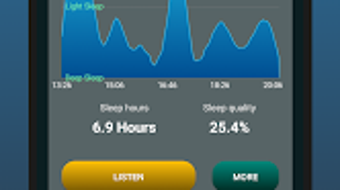
- Weekly Sleep Statistics: Provides visual summaries of sleep duration, quality, and consistency over time.
- Snoring Reports: Offers detailed analysis of snoring frequency and intensity for long-term tracking.
- Bedtime Alarm: Reminds users to prepare for sleep, supporting consistent sleep schedules.
- Voice-Activated Function: Allows hands-free operation for setting alarms or checking sleep data.
These features are intended to support users in developing healthier sleep routines. For example, the smart alarm can help users wake up feeling more refreshed, while the snoring reports may encourage lifestyle changes or medical consultation if needed. The app’s integration of multiple data points—movement, sound, and timing—offers a holistic view of sleep behavior, making it a useful tool for self-monitoring and wellness tracking.
User Interface, Workflow & Performance
The user interface of Good Sleep is designed for intuitive navigation, with clear visualizations of sleep data and straightforward access to core functions. The main dashboard likely displays daily sleep summaries, snoring alerts, and upcoming alarms. Users can set bedtime and wake-up times with minimal steps, and the voice-activated feature allows for quick adjustments without manual input.
Workflow efficiency is enhanced by the app’s automated data collection. Once enabled, the app runs in the background during sleep, using the phone’s microphone and sensors to gather information. The smart alarm function activates automatically based on sleep stage detection, reducing the need for manual intervention. The nature-based alarm sound is designed to be pleasant and non-disruptive, contributing to a positive morning experience.
The developer did not specify resource usage details. However, with a file size of 24.3 MB, the app appears to be lightweight and optimized for performance. Performance observations are based on general software behavior patterns. Stability during extended use is expected to be reliable, though actual behavior may vary depending on device hardware and background app activity. No reported issues with crashes or excessive battery drain were mentioned.
Compatibility & System Requirements
Good Sleep is compatible with Android 8.0 and above. The app has a file size of 24.3 MB, which indicates a relatively small footprint on device storage. The developer did not provide additional system requirements, such as RAM, CPU specifications, or storage recommendations. As such, exact hardware compatibility information is limited.
Installation is straightforward through the Google Play Store, and the app does not require root access or special permissions beyond microphone and sensor usage. The app’s reliance on the phone’s microphone and motion sensors means it functions best when the device is placed near the user during sleep. The developer did not specify whether the app supports wearables or other connected devices.
Pros and Cons
Pros
- Free to download and use on Android devices
- Intuitive interface with clear data visualization
- Smart alarm based on sleep cycle detection
- Comprehensive sleep and snoring tracking
- Nature-based alarm sounds for a pleasant wake-up
- Weekly sleep statistics and snoring reports
- Voice-activated features for convenience
- Lightweight app size (24.3 MB)
Cons
- No information on iOS compatibility
- Relies on smartphone sensors, which may affect accuracy
- Microphone usage may raise privacy concerns
- Performance and stability details not publicly disclosed
- May not work optimally on older or low-end Android devices
FAQ Section
Is Good Sleep available for iOS devices?
Good Sleep is currently available only on Android. The developer did not announce plans for an iOS version.
How does the smart alarm work?
The smart alarm uses motion and sound data to detect the user’s sleep cycle and triggers the alarm just before the end of a light sleep phase, aiming to reduce grogginess.
Is the app secure and private?
The app records audio data for snoring detection and may upload it to cloud storage. Users should review the privacy policy for details on data handling and security measures.
Does Good Sleep require an internet connection?
Basic functionality operates offline. However, cloud uploads for snoring reports and statistics require an internet connection.
Can I use Good Sleep without a microphone?
While the app may function with limited features, full functionality—especially snoring detection and smart alarm—depends on microphone access.
Final Thoughts + CTA
Good Sleep offers a practical, feature-rich solution for individuals aiming to improve their sleep quality and reduce snoring-related disruptions. Its combination of sleep cycle tracking, smart alarm technology, and detailed reporting makes it a valuable tool for health-conscious users. The app’s free availability and lightweight design enhance its accessibility, while the nature-based alarm and voice-activated functions add user-friendly touches.
Although the app is limited to Android and lacks detailed technical specifications, its core features are well-aligned with modern sleep wellness trends. It is particularly beneficial for solo users tracking their sleep patterns and couples seeking to minimize nighttime disturbances.
Download Good Sleep now to take the first step toward better sleep and improved well-being.





.png)

